
MenuList
Feature overviewSee what MenuList can do for your business.

Start

Menu importStart from the menu or service list you already have.Menu content prepDescriptions, images, and languages prepared for review.Featured ChoicesGuide customers to popular, quick, and value choices.

Publish

Official Business PageOne customer link for public business details.QR menu and linksShare the current approved list by QR or link.Print & digital assetsReady print files, social images, profile images, and covers.

Operate

AI Menu ManagerUpdate your menu by message. Important changes wait for your approval.Owner phone dashboardManage daily menu work from your phone.Activity viewSee visits, QR opens, searches, and customer actions.Business HealthSee what needs attention today.Menu quality checksCatch missing prices and details before publishing.Customer feedbackPrivate reports about wrong prices, missing items, and outdated details.Search & AI visibilityHelp customers and search tools understand your page.
Start from one approved listThese features keep your customer link, QR, page, and print materials pointing to the latest approved list.
Create customer link
AI Menu ManagerHow it worksMulti-locationPricing
Resources
MenuList ToolsMenu EngineeringQR Menu GuideDigital Menu vs PDFGoogle Menu GuideRestaurant Menu SEOAI Search & Menu DiscoveryOfficial customer linkAll Resources
LoginCreate customer link

The official customer-facing version of your business.

One approved list. One current customer link.

New: AI Menu ManagerUpdate your list by message

Turn your current menu or service list into
your official customer link.

Start with a clear photo, a PDF, or a public menu link you control. MenuList prepares a private preview for you to review before your customer link goes live.

Create customer link →See example customer page

Start with a 7-day setup. Review the public version before choosing a paid plan.
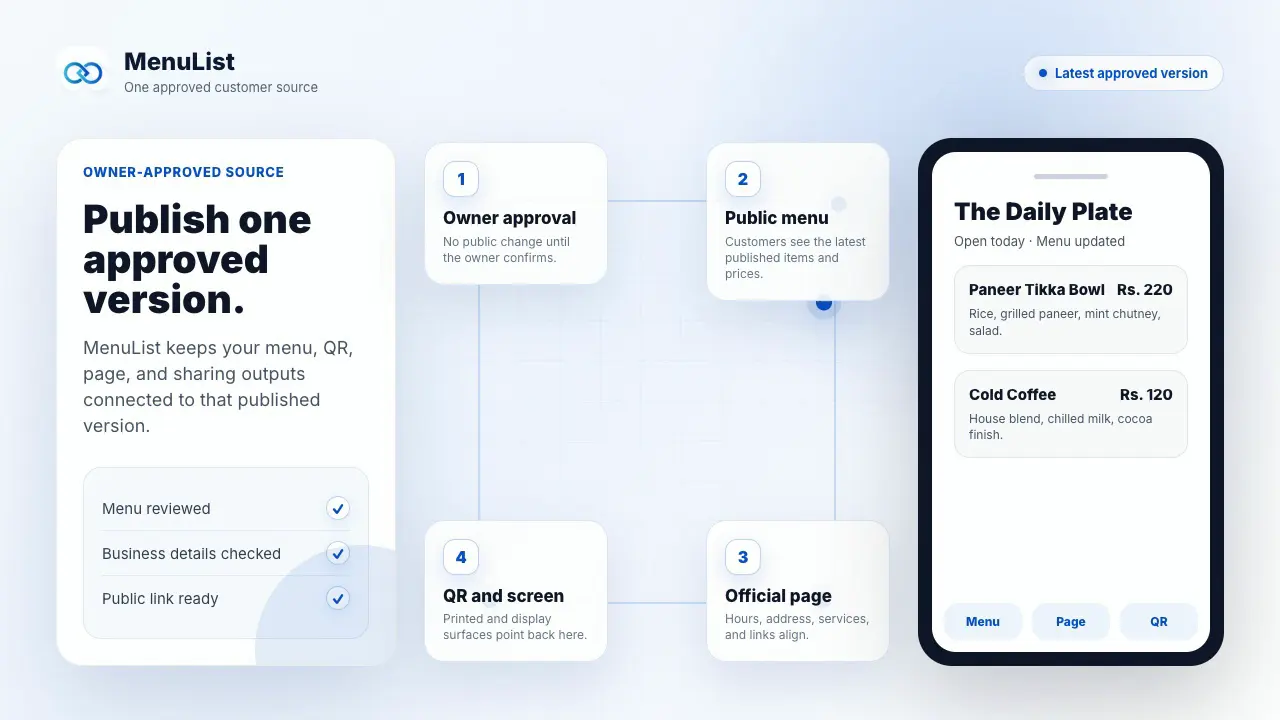
Owner-approved
Use as website link
QR and print ready
MenuList official customer link and official page preview
Official page
QR link
Saved customer shortcut
Digital screen
Print files
Web link

From the list you have to the link customers use.

See the complete path from current menu or service list to one reviewed customer link.

Demonstration with sample business content.

Illustrative restaurant owner photographing a printed menu with a phone

Add your current list

Upload a photo or PDF, or paste a public menu or service-list link you control.

MenuList sample approval screen showing a prepared menu change waiting for owner approval

Review the private preview

MenuList prepares it inside your account. Nothing becomes public before you review it.
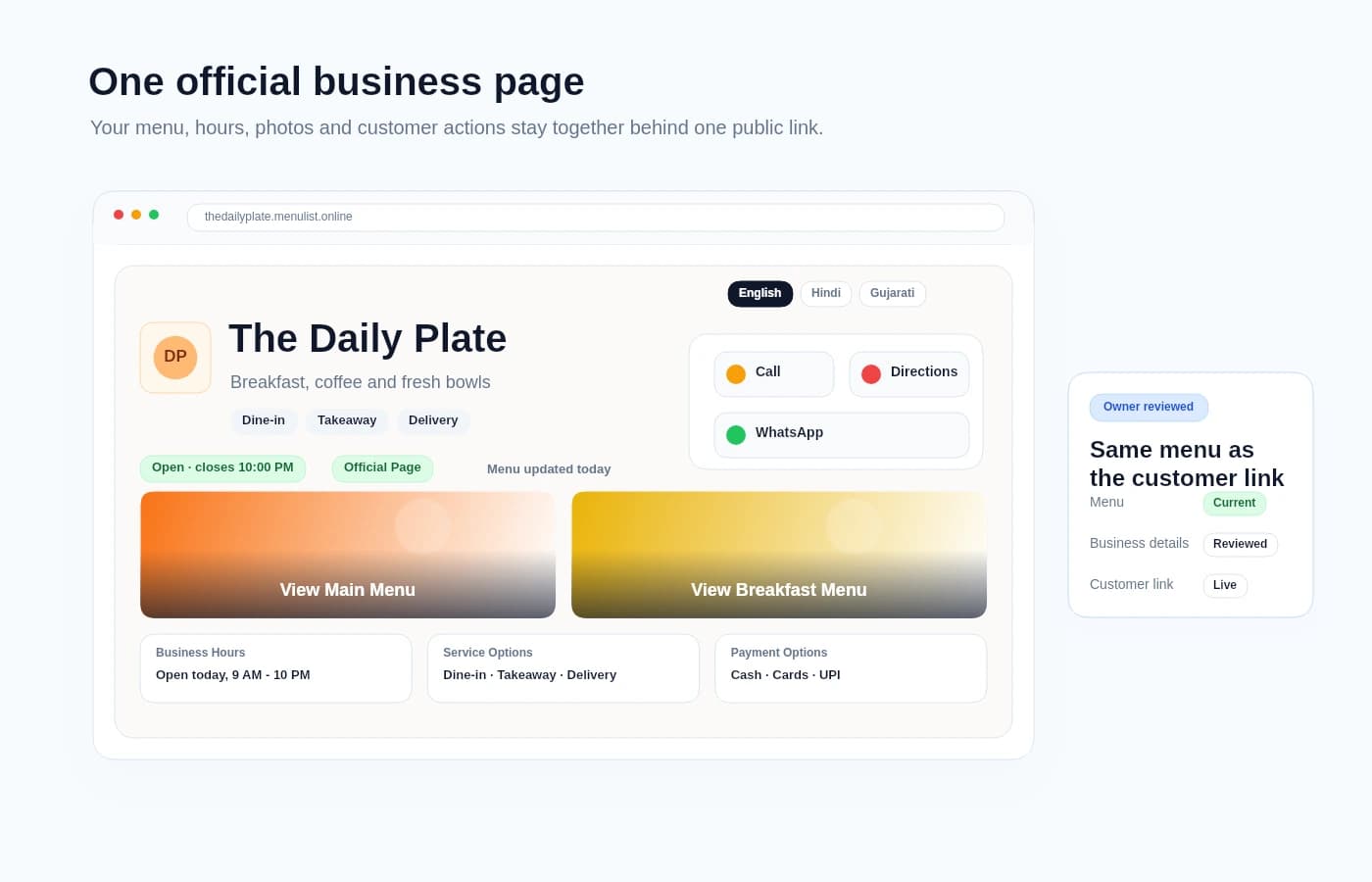
MenuList sample official business page and customer menu

Publish the approved customer link

The version you approve becomes one customer link for your QR, public page, and MenuList files.

Try your current list

See your menu as a customer link.

Start with a photo, PDF, or public menu link. MenuList prepares a private version for you to check.

Start menu preview

Sign in first so your preview stays private.

Private previewyour-business.menulist.online
Not public yet
Starting from a photo or PDFPhoto or PDF becomes a private preview
  • Sections are prepared from the visible list

  • Prices stay attached to the right items

  • You review the menu before the link goes public

  1. 01

    Your menu is added after sign-in

  2. 02

    Items are prepared for you to check

  3. 03

    You approve the customer link

Private until you approve it
Nothing publishes automatically
Preview kept for 24 hours

Replace scattered menu files with one customer link.

Start with the list you already have, review the private preview, then publish the version customers can trust.

Before MenuList

Old PDFs and screenshots

Customers may keep finding a file or image that no one remembers to update.

QR points to the wrong place

The code still scans, but the page behind it can be stale or incomplete.

Prices differ by channel

WhatsApp, Instagram, Google, and printed copies can drift from the list you approve.

With MenuList

Private preview first

MenuList prepares the customer version before anything goes public.

One approved customer link

The owner-approved list becomes the link customers use for menu, service, prices, and actions.

QR, page, and print stay tied to it

Customer links and pages can point back to the same approved list instead of separate files.

You still approve what goes public. MenuList removes repeated list work.

See how it works

Customers find what they want faster.

A MenuList page is built for real browsing. Customers can search, jump sections, switch language, and use guided choices from the approved list before they choose.

Helpful choices make decisions easier

Top picks, quick options, and value choices can appear at the top with owner controls. They help customers choose while staying attached to the menu you approve.

Menu search stays easy to reach

Customers can search large menus or service lists without losing their place. The search bar expands when needed and stays quiet when it is not in use.

Sections keep big menus easy

Categories behave like a clear table of contents. Customers can jump to drinks, services, lunch, desserts, or any section smoothly.

Language is part of the list

If you publish more than one language, customers can choose the one they read best on the same public list.

Current details stay visible

Customers see your business name, open status, recent update, prices, item details, and actions in the same menu.

Customer menu preview

One customer link brings the useful details together.

After review, the same approved list supports your customer page, QR, print files, customer actions, phone view, and simple menu activity.

Official business page

Hours, contact, photos, directions, and the current list in one public place.

QR link

Table, counter, packaging, and poster QR files point to the approved version.

Print files

Download paper menus, table cards, and printer-ready files from the same approved menu.

Customer actions

Call, WhatsApp, directions, booking, ordering, sharing, and list access stay close.

Phone dashboard

You can check and update the important parts from a phone-friendly view.

Activity and feedback

See what customers open and collect wrong-price or missing-item reports.

See each feature page for exact limits, setup steps, and owner controls.

After publishing, MenuList helps keep it current.

Tell MenuList what changed, then check whether anything needs your attention.

Update by message

AI Menu Manager

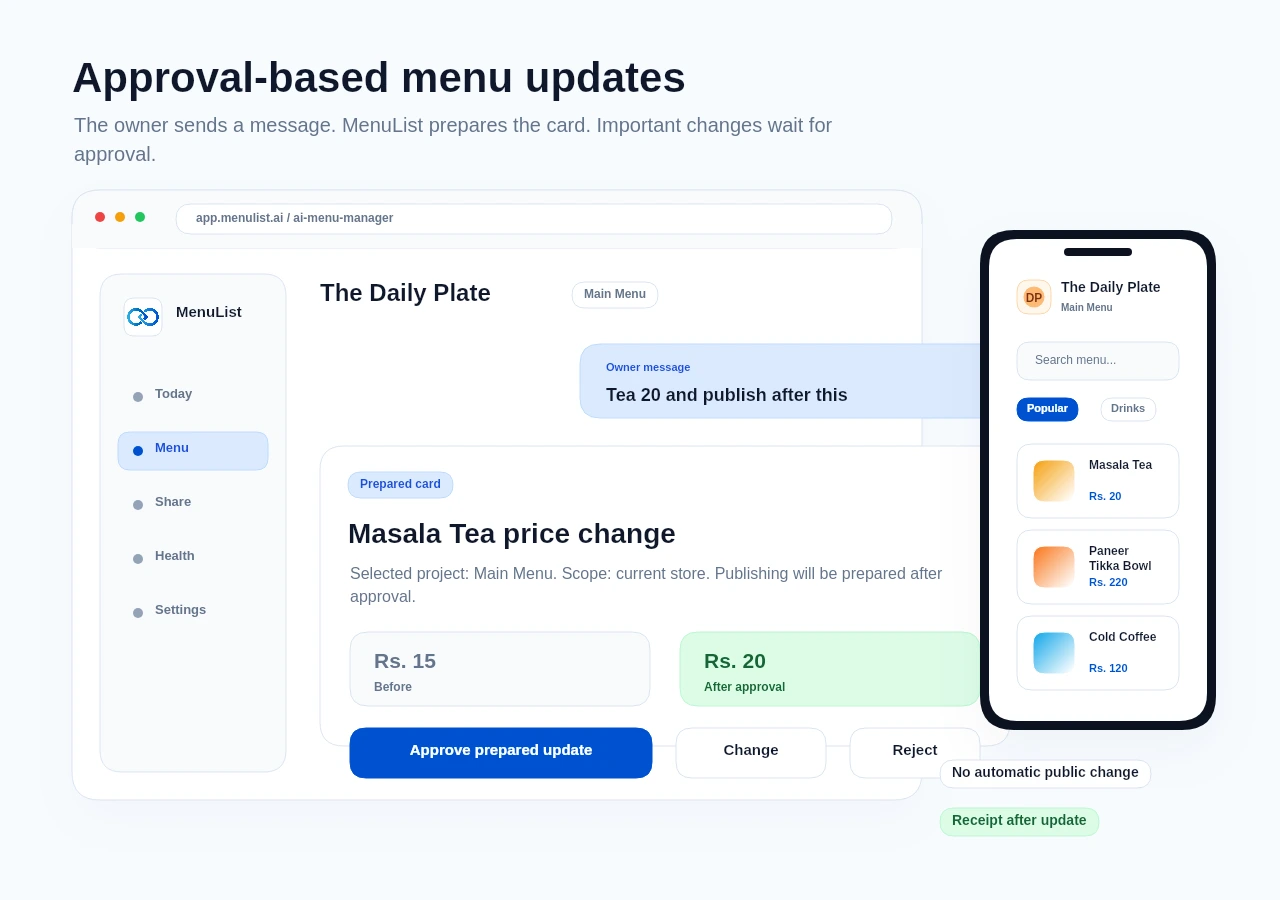
Tell MenuList what changed. It prepares a clear update card so you can review important changes before they go live.

MenuList AI Menu Manager approval card using fictional demo menu data
Prices, sold-out items, menu notes, images, and imports
Important changes wait for your approval
See what changed after each completed update
See AI Menu Manager

Check what matters

Business Health

Compare this week’s menu activity with last week, then see whether any location needs attention. When everything looks right, Business Health says No action needed.
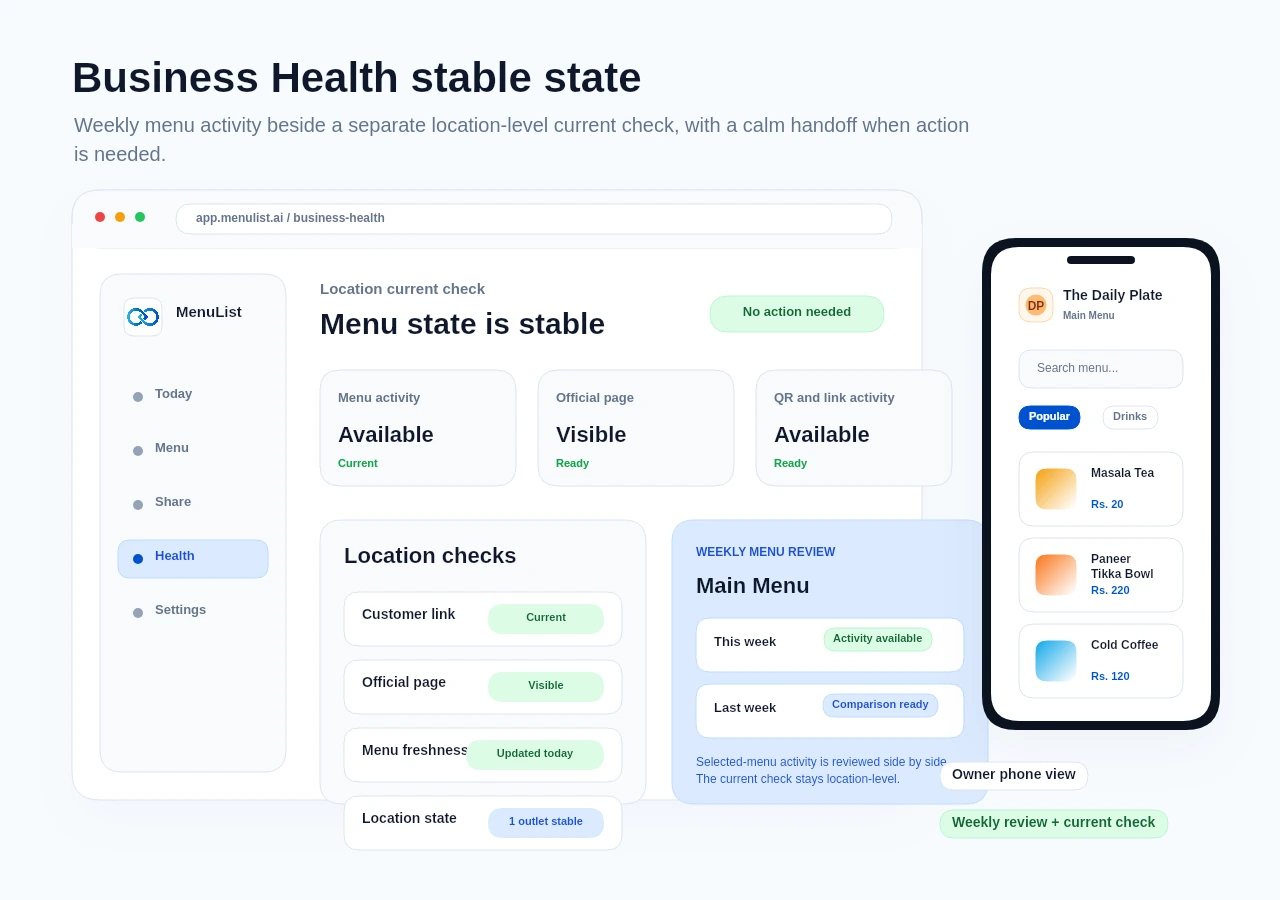
MenuList Business Health stable check using fictional demo menu data
Weekly menu review
Go straight to the right screen
Check it from your phone
View Business Health
Important changes wait for your review. Stable checks stay quiet.

Frequently asked questions.

The questions owners usually ask before creating a private preview.

MenuList brings your menu, service list, and business details into one link customers can use. The page, QR, and MenuList files stay connected to the version you approve.

Not at all. Start with a photo, PDF, or public list link you control. Review what MenuList prepares, then publish when it looks right.

MenuList lets you start with a 7-day setup so you can review the public version before choosing a paid plan to keep the same link live and updated.

Yes. After sign-in, you can paste a public menu link you own or have permission to use. MenuList prepares a draft for review, so the link becomes a starting point rather than another public version to maintain.

No. Imported content stays in review until you approve it. If a public link cannot be read clearly, upload a clear menu or service-list photo or try another owned public link.

No. AI Menu Manager prepares cards. Important work such as prices, bulk updates, publishing, and generated images needs owner approval before it goes live.

View full FAQ

Turn your current list into a customer link people can trust.

Review the private preview, then publish the version customers will use.
Create customer link →

Ready when your list is

Put one trusted customer link online.

Start from the menu, price list, catalogue, or service list you already have. MenuList prepares a private preview, then helps you use the approved customer link across QR, pages, and files.

Create customer link →See plans

Owner approval before publishing

The public menu or service list should come from the business, not from old PDFs or scattered screenshots.

One approved list

Customers keep reaching the current version instead of old PDFs, screenshots, or scattered links.

Simple for one location. Ready for many.

Start with one location. Add more without rebuilding how your menu and customer links work.

MenuList

The official customer-facing version of your business.

MenuList keeps its customer links, QR files, and print materials tied to your approved list.

MenuList is operated by Neelvara Systems, an India-based business. Neelvara Systems

hello@menulist.ai
LinkedIn

Product

  • AI Menu Manager
  • How it works
  • Features
  • Multi-location
  • Pricing

Start

  • Customer page example
  • Official Business Page
  • MenuList Tools
  • Create customer link
  • About
  • Contact

Resources

  • Developers
  • Menu Engineering
  • QR Menu for Restaurants
  • Digital Menu vs PDF
  • Google Business Profile Menu
  • Restaurant Menu SEO
  • AI Search & Menu Discovery
  • Official customer link
  • FAQ
  • Trust & Security

Legal

  • Data processing information
  • Report content abuse
  • Privacy Policy
  • Terms of Service
  • Refund Policy

Get an AI summary of MenuList:

CClaudeCChatGPTGGemini

© 2026 MenuList. All rights reserved.

One public link. Easy for customers to find.